Smart switches have moved well past novelty status. If you’re renovating a room, building out a vacation rental, or simply tired of walking across a dark hallway, a WiFi smart switch offers app control, voice assistant integration, and useful automations like schedules and motion triggers. The lineup below mixes whole-circuit smart breakers (for panel-level monitoring) and in-wall switches (for everyday lighting and fan control), so you can match the right tool to your wiring reality.
The Essentials At A Glance

aeliussine WiFi Voltage Protector 63A Circuit Breaker

aeliussine Smart Switch 1-63A Adjustable WiFi Circuit Breaker
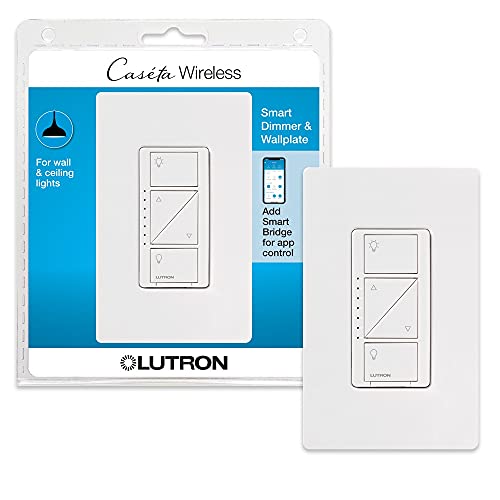
Lutron Caseta Smart Dimmer Switch with Wallplate
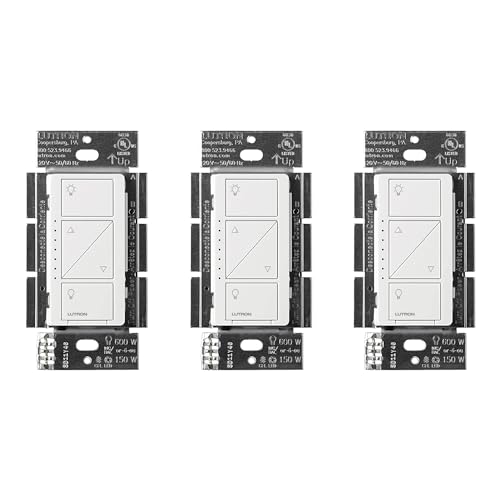
Lutron Caseta Smart Dimmer No Neutral Required

aeliussine Smart Switch WiFi Breaker 2-Pack

Kasa Smart Motion Sensor Switch ES20MP2

Kasa Matter Smart Dimmer Switch KS225P3

aeliussine Smart Switch WiFi Breaker 4-Pack

Kasa Smart Ceiling Fan Control & Dimmer KS240
A Deeper Look At The Lineup
Panel-level smart breakers sit between your main feed and individual circuits, so they handle a different job than the in-wall switches later in this list. The aeliussine WiFi Voltage Protector accepts a wide AC range of 90V to 300V and supports loads up to 63A, which covers most residential branch circuits, including heavier appliance runs like shop tools or a small workshop sub-panel.
The built-in LCD gives you a live readout of voltage and current without pulling out a multimeter. For homeowners dealing with brownouts, unstable generator power, or just curiosity about what each circuit draws, that visibility is the main draw. Compared to the adjustable breaker in item 2, this one focuses more on monitoring and protection than user-tunable thresholds.
Bright Spots
- Wide 90V to 300V AC input handles unstable rural or generator-supplied feeds.
- 63A rating covers most residential branch circuits, including heavier appliance loads.
- LCD readout provides live voltage and current readings without extra tools.
- WiFi connectivity lets you track consumption trends from a phone app.
Things To Consider
- Installation typically requires working inside the breaker panel, which many homeowners leave to a licensed electrician.
- Documentation and app polish may feel less mature than mainstream smart home brands.
At A Glance
Best Suited To
Homeowners with older or unstable power who want panel-level visibility and automatic protection on a high-draw circuit.
Skip It When
The Lutron Caseta dimmer in item 3 suits you better, since you mainly need everyday lighting control rather than panel-level monitoring.
This adjustable smart breaker adds a layer of tunability the previous pick doesn’t offer. The load current range runs from 1A to 63A, so the same device can protect a delicate electronics circuit or a heavier appliance line, depending on how you set the threshold. It also includes RCD (residual current device) protection, which trips if it detects current leaking to ground, an important safety layer in wet areas or older wiring.
The app side is where this breaker earns its keep. You can configure over-current, over-voltage, and over-power alarm thresholds, get instant phone alerts, and let the system cut power automatically when something looks wrong. For tech-comfortable homeowners who already tinker with energy monitoring, that control is genuinely useful rather than theoretical.
Well-Handled Touches
- Adjustable 1A to 63A range adapts to delicate electronics or heavy appliances.
- Customizable alarm thresholds for current, voltage, and power.
- RCD protection adds ground-fault safety beyond a standard breaker.
- Auto-shutoff on anomaly detection limits damage from electrical faults.
Trade Offs
- Setup complexity is higher than a basic in-wall switch, especially around threshold tuning.
- Brand ecosystem is less established than mainstream smart home platforms.
Who Will Love This
Tinkerers and technically confident homeowners who want fine-grained control over per-circuit safety limits and alerts.
Look Elsewhere When
The aeliussine 4-pack in item 8 is a smarter pick, since you’d likely want the same protection across multiple circuits rather than just one.
Lutron’s Caseta line is the long-standing reference point in residential smart dimming. This version includes a coordinating wallplate, which removes one of the small but annoying parts of a typical switch upgrade, finding a matching cover plate that fits cleanly. Like every Caseta switch, it requires the Lutron smart hub (sold separately) to unlock app and voice control.
Once the hub is in place, the dimmer integrates with major voice assistants and supports Pico remotes for whole-room control from a nightstand or couch. The dimming curve itself is the quiet strength: Lutron’s reputation for flicker-free dimming with a wide range of LED bulbs is well-earned, and this model is no exception. Compared to the panel breakers above, this is a much friendlier entry point for someone just dipping into smart lighting.
What Helps Most
- Included wallplate saves a trip to the hardware store.
- Smooth, flicker-free dimming across a wide range of LED bulbs.
- Works with Pico remotes for bedside or wall-mounted secondary control.
- Mature ecosystem with broad voice-assistant compatibility.
Some Limits To Know
- Requires the Caseta smart hub, which adds to the total setup cost.
- Dimming is the focus, not full relay switching, so it doesn’t fit every load type.
Feature Snapshot
Perfect Match For
Homeowners building a whole-home lighting setup who want reliable dimming and a polished app experience.
Not Your Match When
The Kasa Smart Motion Sensor Switch in item 6 fits better, especially in hallways or bathrooms where motion activation matters more than dimming depth.
Many smart switches need a neutral wire in the wall box to power their radios. Houses built before the mid-1980s often don’t have one, which rules out a lot of the market. This Caseta dimmer is engineered specifically for that situation: no neutral required, so it drops into older switch loops without rewiring the circuit.
Otherwise, the experience mirrors the standard Caseta dimmer reviewed above: hub-based control, smooth dimming, and Pico remote support. The catch is the same hub dependency, but for owners of older homes, this model is often the difference between “smart lighting is possible” and “smart lighting isn’t an option here.” It’s the quieter hero of the Lutron lineup.
Real Benefits
- No-neutral design fits older switch boxes from the pre-1980s era.
- Same reliable Lutron dimming performance as the hub-required standard model.
- Compatible with Pico remotes for flexible whole-room control.
- Works with leading voice assistants once paired with the hub.
Honest Caveats
- Still needs the Caseta hub for full smart functionality.
- No included wallplate in this specific configuration.
Built With In Mind
Owners of older homes with switch loops lacking a neutral wire who want polished smart dimming without opening up the walls.
Reach For A Different Pick When
The Lutron Caseta dimmer in item 3 makes more sense, especially if your switch boxes already include a neutral and you’d like a coordinating wallplate included.
If a single smart breaker feels limiting, this 2-pack spreads the same adjustable protection across two circuits. The specs mirror the standalone model in item 2: 1A to 63A adjustable load range, customizable alarm thresholds, and the same app-driven monitoring. Buying a pair makes sense for a homeowner who wants to track both an appliance circuit and a general lighting circuit side by side.
Multi-packs like this also simplify commissioning: you configure both devices in the same app session, label them by room, and start comparing usage patterns. For light commercial spaces or accessory dwelling units with a small sub-panel, two smart breakers often cover the most important loads without jumping to a four-pack.
Positive Points
- Same adjustable 1A to 63A protection as the single-pack version.
- Two-pack format supports comparison across appliance and general circuits.
- App-based alerts help catch abnormal consumption patterns early.
- Per-pack pricing tends to undercut buying two singles.
Points To Note
- Both breakers still require panel-level installation, so professional help is likely.
- App features depend on a stable home WiFi signal reaching the panel location.
Right Fit For
Homeowners wanting to monitor a couple of high-priority circuits at once, such as a kitchen appliance run plus an HVAC line.
A Better Fit Elsewhere
The Lutron Caseta dimmer in item 3 works better, especially if your priority is room-by-room lighting control rather than panel-level monitoring.
Not every smart switch needs to be controlled by a phone. The Kasa ES20MP2 adds a built-in motion sensor plus ambient light sensing, so the switch can turn lights on when you walk into a room and off again when the space empties. The light sensor keeps it from firing during bright daytime hours, which is the small detail that separates a useful motion switch from an annoying one.
This is a single-pole model and needs a neutral wire in the box, so it’s aimed at newer homes or renovated rooms. Practical spots include hallways, pantries, bathrooms, and laundry rooms. Compared to the dimmer-focused Kasa pick in item 7, this one is more about automation than ambiance.
What Makes Sense
- Motion and ambient light sensors reduce manual switching in busy rooms.
- Configurable timeout prevents lights from cutting off mid-task.
- Helpful for accessibility, mobility-limited users, or families with kids.
- Works with the Kasa app and major voice assistants.
Practical Considerations
- Requires a neutral wire, ruling out many older switch loops.
- Motion coverage is best in smaller enclosed rooms rather than open layouts.
Who Should Grab It
Anyone wanting hands-free lighting in transitional spaces like hallways, laundry rooms, or garages with modern wiring.
Swap It Out When
The Lutron Caseta dimmer in item 4 is a smarter call, especially if your home lacks a neutral wire and you still want polished automation.
Matter is the smart home standard designed to keep devices from being locked into one ecosystem. The KS225P3 is Matter-certified, so it works with Apple Home, Alexa, Google Home, and SmartThings without picking sides. That makes it the most flexible in-wall dimmer in this lineup for households that mix voice assistants or plan to in the future.
It’s a single-pole dimmer that needs a neutral wire, which positions it for newer construction and recent renovations. Setup tends to be straightforward through the Kasa app, with guided install steps. Compared to the Lutron pair in items 3 and 4, this Kasa trades hub-based infrastructure for Matter compatibility, so you don’t need to buy a separate bridge device.
A Strong Showing
- Matter certification supports Apple Home, Alexa, Google Home, and SmartThings.
- Smooth dimming control for LEDs, incandescents, and most common bulb types.
- No separate hub required, simplifying the overall setup.
- Guided app install reduces first-timer friction.
Worth Bearing In Mind
- Single-pole only, so it won’t directly handle three-way circuits.
- Requires a neutral wire, so older switch boxes won’t accept it.
Made For
Multi-platform households that want dimming control without locking into one vendor’s ecosystem.
Where A Sibling Pick Shines
The Kasa Motion Sensor Switch in item 6 suits you better, especially in hallways or utility rooms where motion activation matters more than dimming depth.
The 4-pack version takes the same adjustable smart breaker concept and scales it across a larger portion of your panel. Each unit supports 1A to 63A loads with the same customizable threshold and alert features described in item 2. For whole-home energy tracking, four circuits gives you a meaningful slice of total consumption rather than a single data point.
The trade-off is installation scope. Mounting four smart breakers means more panel work and more upfront configuration, so this is geared toward homeowners comfortable with electrical work or willing to hire an electrician. Compared to the 2-pack in item 5, the value per breaker tends to improve, but only if you’ll actually use all four slots.
The Practical Payoff
- Four adjustable breakers cover major residential circuits comprehensively.
- Detailed energy consumption data helps identify high-draw appliances.
- Threshold alerts provide early warnings on overload conditions.
- Per-breaker cost improves meaningfully versus buying singles.
Points To Keep In Mind
- Requires the largest panel-side installation effort in this lineup.
- Benefit scales with how many circuits you actually want to monitor.
Technical Highlights
The Right Fit
Energy-conscious homeowners and small-shop owners who want comprehensive circuit-level monitoring across several major loads.
Consider Something Else When
The aeliussine 2-pack in item 5 is enough, especially if you only want to track a couple of key circuits and prefer a smaller panel footprint.
Pull chains on ceiling fans are the classic retrofit target. The KS240 replaces a standard wall switch with a smart controller that handles both the fan speed and the attached light kit, eliminating the pull chain and putting everything in the app or under voice control. It’s a 2-in-1 solution aimed at bedrooms, living rooms, and any room with a combined fan-and-light fixture.
Compatibility with Apple HomeKit, Alexa, and Google Assistant makes it flexible across the main smart home ecosystems. For homeowners looking at a single fan swap rather than a full lighting overhaul, this is more directly useful than a multi-pack of breakers. Compared to the Kasa dimmer in item 7, the KS240 adds fan control rather than pure light dimming.
The Value In It
- Combines fan speed and light dimming into one wall switch.
- Eliminates pull chains, which many users find inconvenient or hard to reach.
- Voice control works across Apple HomeKit, Alexa, and Google Assistant.
- Kasa app supports schedules for bedtime and wake-up routines.
Trade-Offs To Consider
- Single-pole wiring limits placement options in multi-switch rooms.
- Not all ceiling fan motors respond identically to electronic control, so verify compatibility.
Whose Shelf It Belongs On
Bedroom and living room retrofits where a fan-and-light combo needs modern app and voice control.
Another Choice May Suit
The Kasa Matter dimmer in item 7 makes more sense, especially if you don’t need fan control and just want flexible dimming across platforms.
What To Weigh Before Picking A Wifi Smart Switch
The right pick depends on where in your home you’re installing and how much wiring flexibility you have. Start with the wiring reality: homes built before the mid-1980s often lack a neutral wire in the switch box, which rules out most modern smart switches unless you choose a no-neutral model like item 4. Newer construction and recent renovations almost always include a neutral, which opens up the full lineup.
Next, decide between in-wall switches and panel-level breakers. In-wall switches (items 3, 4, 6, 7, 9) control a single lighting or fan circuit from the wall, often with dimming, motion, or fan-specific features. Panel-level breakers (items 1, 2, 5, 8) sit in your electrical panel and offer whole-circuit protection plus energy monitoring, useful for high-draw lines or whole-home consumption tracking. Each approach solves a different problem, and many households benefit from a mix.
Hub vs. Hub-Free
Some switches, including Lutron Caseta models, require a separate hub to unlock smart features. Others, like the Kasa Matter dimmer in item 7, connect directly to your home network and rely on Matter for cross-platform support. Hub-based systems tend to be highly reliable and well-polished; hub-free systems simplify setup and reduce upfront cost. The honest read is that neither is strictly better, and your ecosystem preference matters more than raw specs.
Voice And Ecosystem Fit
If you’ve already invested in Alexa, Google Home, Apple HomeKit, or SmartThings, check that the switch supports your platform. Matter-certified devices offer the broadest future-proofing. App-only ecosystems work fine for one-room setups but get awkward as you add more devices, so cross-platform support becomes more valuable over time.
Dimming, Motion, And Fan Control
Think about the actual behavior you want. Dimming switches (items 3, 4, 7) shine for living rooms, dining rooms, and bedrooms where ambiance matters. Motion switches (item 6) belong in hallways, bathrooms, and utility rooms. Fan-and-light combos (item 9) fit ceiling fan retrofits. Choosing by use case keeps the feature list grounded in what you’ll actually use day to day.
Key Considerations Across These Picks
Where Shoppers Go Wrong
The most common mistake is overlooking the neutral wire. Many people fall in love with a switch online, only to discover their switch box lacks the required wire, especially in older homes. Another frequent slip-up is assuming all smart switches work with every voice assistant. Without checking ecosystem compatibility, you can end up with a switch that controls only through its own app. Finally, some shoppers underestimate installation complexity, particularly with panel-level smart breakers, which often need a licensed electrician.
What Separates Premium From Basic
Higher-tier models in this category typically earn their keep through smoother dimming curves, broader ecosystem support, and better app polish. Lutron’s Caseta line, for instance, is priced higher largely because the dimming quality and hub reliability are best-in-class. Matter-certified switches like item 7 command a small premium for cross-platform future-proofing. The upgrade is worth it if you have multiple voice assistants or plan to expand your smart home over time, while budget-friendly picks make sense for a single room or a quick trial run.
Frequently Asked Questions
Do all WiFi smart switches need a neutral wire?
Most modern switches do, though a few models like the Lutron Caseta no-neutral version in this lineup are designed for older wiring without one. Check your switch box before buying.
Can I install a smart switch myself?
In-wall switches are often a manageable DIY project for anyone comfortable with basic electrical work and who turns off the breaker first. Panel-level smart breakers, on the other hand, involve live panel work and are typically best left to a licensed electrician.
Will a smart switch work with any voice assistant?
Not always. Some switches support only one ecosystem, while Matter-certified models like the Kasa KS225P3 cover Apple Home, Alexa, Google Home, and SmartThings. Always confirm compatibility with your specific assistant before purchasing.
Do smart dimmers work with all LED bulbs?
Not universally. Some LEDs flicker or buzz with certain dimmers, especially budget bulbs. Lutron’s Caseta line is well-known for working with a wide range of LEDs, but it’s still worth checking the manufacturer’s compatibility list for your specific bulbs.
How long do these switches typically last?
In-wall switches from established brands tend to last many years under normal residential use, with mechanical components rated for tens of thousands of presses. Panel-level smart breakers can last longer but depend heavily on installation conditions and load patterns.
Wrap Up
The right WiFi smart switch comes down to matching the device to your wiring, your ecosystem, and the room’s actual role. Start by checking your switch box for a neutral wire, decide between in-wall and panel-level control, and then pick the feature set, dimming, motion, or fan support, that solves your real everyday problem. The picks above cover that full spectrum, so the best one is whichever fits the specific room and routine you’re trying to improve.